Document management for schools
Your school’s knowledge deserves a good home.
Over many years, a school gathers knowledge and experience. Minutes record shared decisions. Concepts describe what matters to the staff. Contracts and official notices set out binding agreements. And in the classes, materials are created that will be needed again next school year.
With Prilog’s document management, these documents find a place where they can be filed, found again and used together – in line with your school’s tasks and responsibilities.
One school. Many tasks. Filing you can follow.
Over the course of a school day, documents are created in all sorts of places: in the school office, in a staff conference, while preparing lessons or while working on a new school concept.
Some things belong on your personal desk. Others are developed together in a working group. Others again are part of the binding school administration and must still be findable years later.
Prilog gives these documents the right places:
-
My tray
for personal files and incoming documents.
-
Shared spaces
for classes, staff and working groups.
-
Administrative filing
a structured place for files, minutes, contracts and other binding documents.
This way people can work where their tasks happen – and file documents where they will be needed later.
For schools that work with a cloud or other file storage today
For many schools, shared file storage is already an important part of everyday life. Teachers and administration share folders, provide materials and edit documents together.
Prilog builds on familiar ways of working: you can upload files, put them in folders, search, share and edit them in the browser. With Prilog Drive, you can also sync your personal tray with a folder on your own computer.
On top of that, document storage is linked to your school’s spaces and tasks. A working group can use its documents together; the school administration gets its own structure for binding documents.
Already using a cloud? We’d be glad to look with you at which processes your school organises with it today and what Prilog offers for those tasks.
A shared place for what holds your school together
The filing plan for school administration
A school needs documents that last beyond individual school years and changes of staff: school rules, contracts, minutes, personnel records, student records or data protection documents.
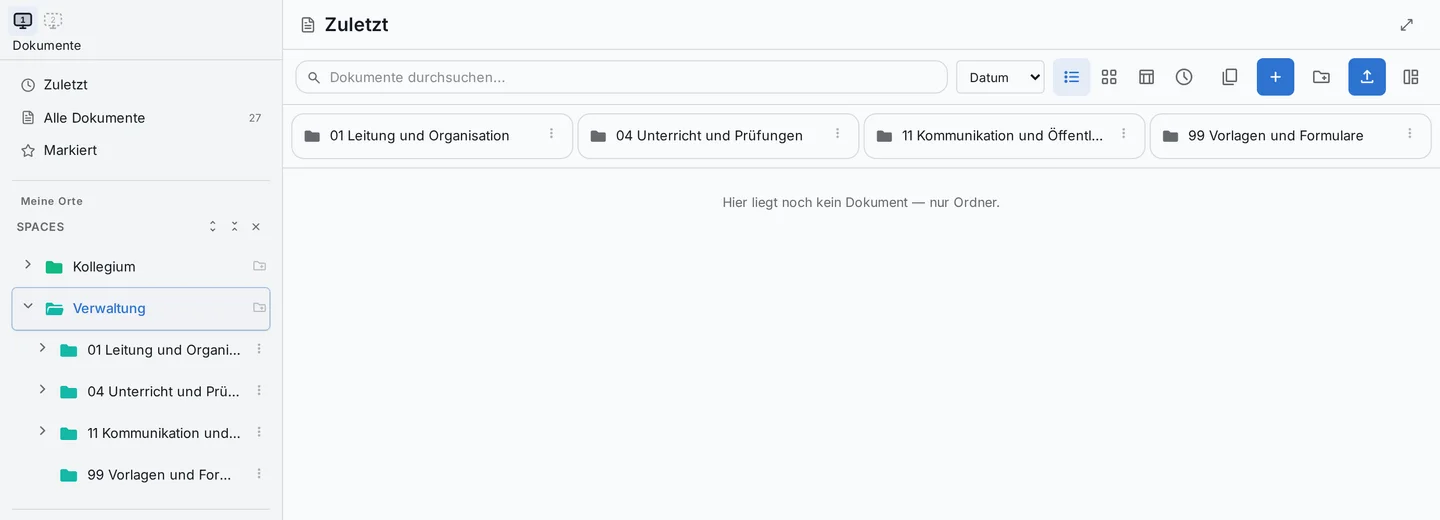
For this, Prilog provides a ready-made folder structure for school administration. It organises the filing by area of responsibility – for example leadership, committees, student administration, personnel, finance and contracts.
The top level gives the filing a reliable structure. Below it, the areas can be shaped to suit your school’s needs.
Whoever takes on a task finds a shared starting point. And whoever hands a task over leaves behind filing that others can carry on working with.

Keeping knowledge when people leave
A school changes. Its work stays findable.
People change roles, go on parental leave, leave the school or take on new responsibilities. They take a lot of experience with them – and over the course of their work they have created, collected and edited countless documents.
When filing has grown around individual people, a change often raises many questions: where are the current school rules? Which agreement applies? Where do we find the working group’s minutes?
The Prilog filing plan is organised around tasks and responsibilities. This means documents can stay where they are needed in the long term – regardless of who is doing the task at the moment.
A good structure alone doesn’t keep filing alive. It needs people who assign documents, keep responsibilities up to date and regularly check what should be kept. Prilog gives this shared work a foundation.
Find documents where you work
-
For teachers and staff
Teaching material, templates for a parents’ evening or a subject department’s documents: in the shared spaces, files sit with the people who use them.
You can create folders for your work, file documents and share them with the members of that space. This way you can build, for example, a shared collection of material for a subject or a folder for preparing the school fair.
-
For working groups and conferences
People working on a topic together need access to the same documents. A space can bring together materials, drafts and documents for the people involved.
When the joint work results in binding minutes or an adopted concept, the final version can find its place in the administrative filing.
-
For the school office and school leadership
A lot of information comes together in the school office and the school leadership. The filing plan offers a shared structure for tasks that recur regularly and are often looked after over many years.
Personal documents in “My tray”
Everyone in Prilog has their own tray. Here you can store personal working documents, notes and files and organise them in folders.
The tray also includes an inbox: others can send you files through it. As a teacher, for example, you can hand out a worksheet to the personal trays of a whole class.
Your personal storage is meant for you. Others – including the administration – cannot see the documents in it.
Find what you’re looking for
Even if you no longer remember the file name
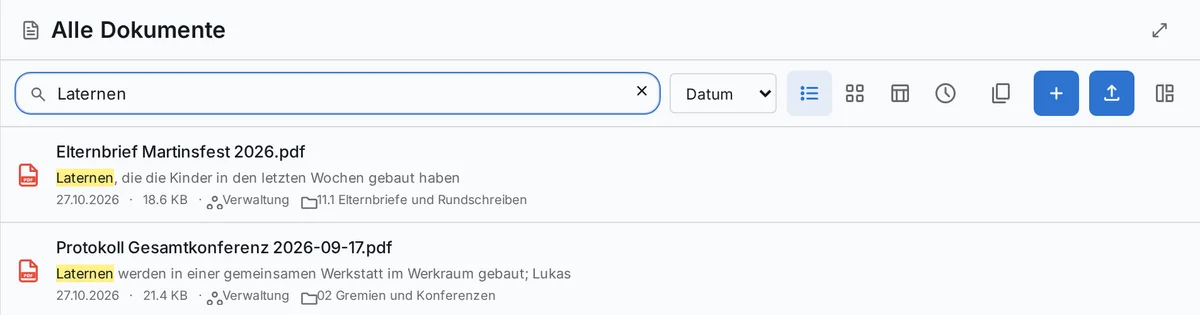
You remember a topic from some minutes but not what the file is called? Search in Prilog also covers the text of documents. Scanned documents are included too.
Tags let you group documents by topic as well – even across different spaces. You can mark files you need often.
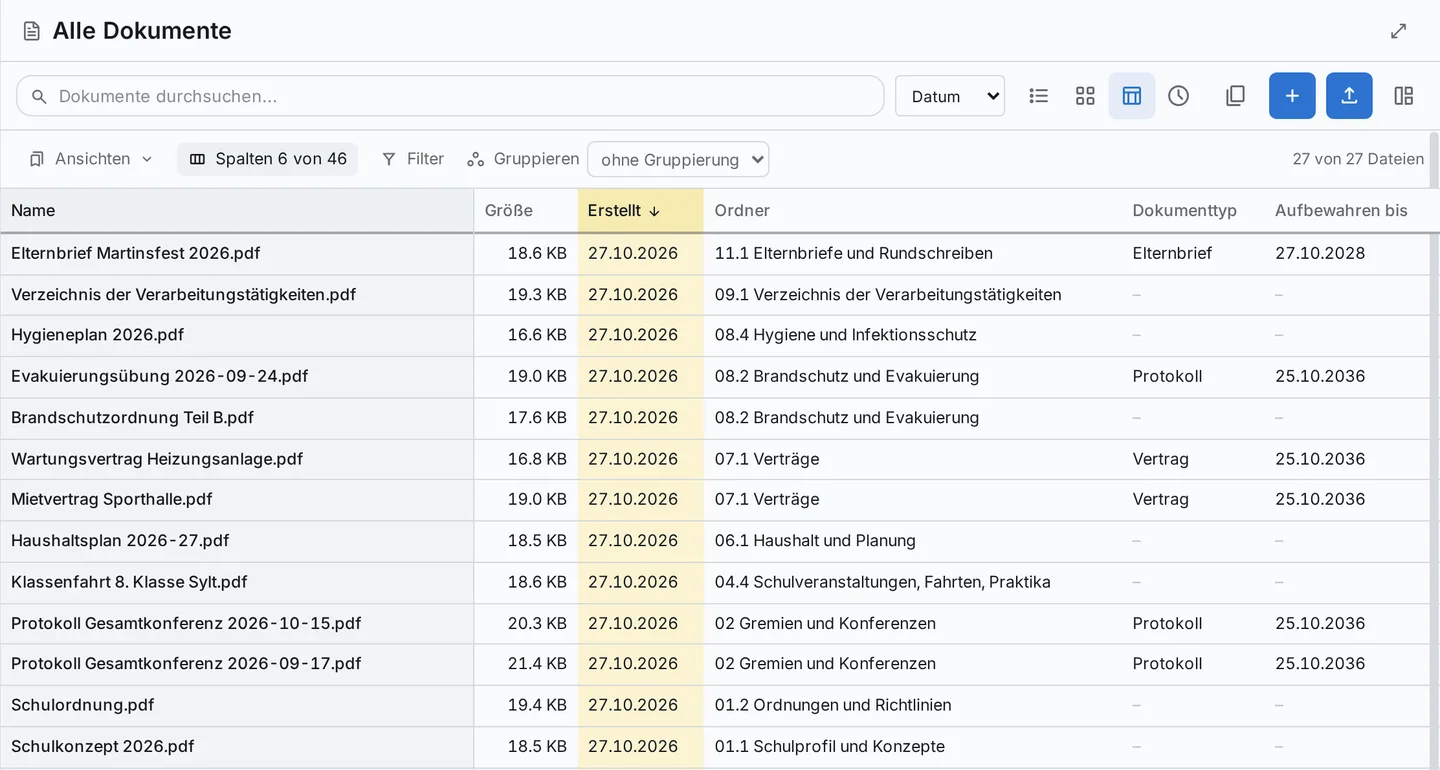
For larger collections, you can switch on a matrix view. There you can view, sort and filter documents, for example by folder, properties or retention period.
Editing and sharing documents together
Keeping track of the current version
Concepts, forms and parent letters often develop over several drafts. With Prilog’s Office module you can open and edit Word, Excel and PowerPoint files in the browser. Saving creates a new version; earlier versions are kept.
Documents can also be shared with other spaces or across the whole school. For people without Prilog access, you can create a link, which you can protect, for example, with a password and an expiry date.
Specially protected administrative folders have their own rules: documents from a folder with its own access rule cannot simply be shared school-wide or into another space.
Permissions and protection levels
Access that fits the task
A worksheet for a class, a committee’s minutes and a personnel file are meant for different people.
That is why Prilog takes into account where a document is stored and who is allowed to work there. In the administrative filing, additional rules apply that are based on roles and protection levels.
For example, the personnel area can be restricted to the people responsible for it. For student records, read access can be derived from assignment to a class.
Actually assigning permissions and reviewing them regularly remains the school’s task. Prilog supports this with a traceable structure.
Thinking about retention and deletion
Some documents have to be kept for a long time. Others should be deleted as soon as they are no longer needed for their purpose and no retention obligation stands in the way.
You set retention rules once and assign them to document types – for example contracts or conference minutes. Each document then shows how long it must be kept. For deletion there is a deletion run with review, possible deletion hold, approval and log.
Which periods apply to your school depends, among other things, on the type of document, the federal state and the type of school authority. These rules have to be checked and set for each school.
Frequently asked questions about document management
Can we use Prilog if we currently work with a cloud?
Can we sync files to our computers?
Can teachers share teaching material?
Who can see personal documents in “My tray”?
Does Prilog set the retention periods for our school?
Do we have to switch over our entire filing at once?
What does your school’s filing look like?
Every school has its own history, its own committees and its own ways of working. Together we’ll look at how your documents are organised today and how Prilog can help your school keep knowledge and documents accessible in the long term.
Already have questions about your existing file storage? Write to us at info@prilog.team.