Requests & parent letters
Who brought the slip back? Prilog knows.
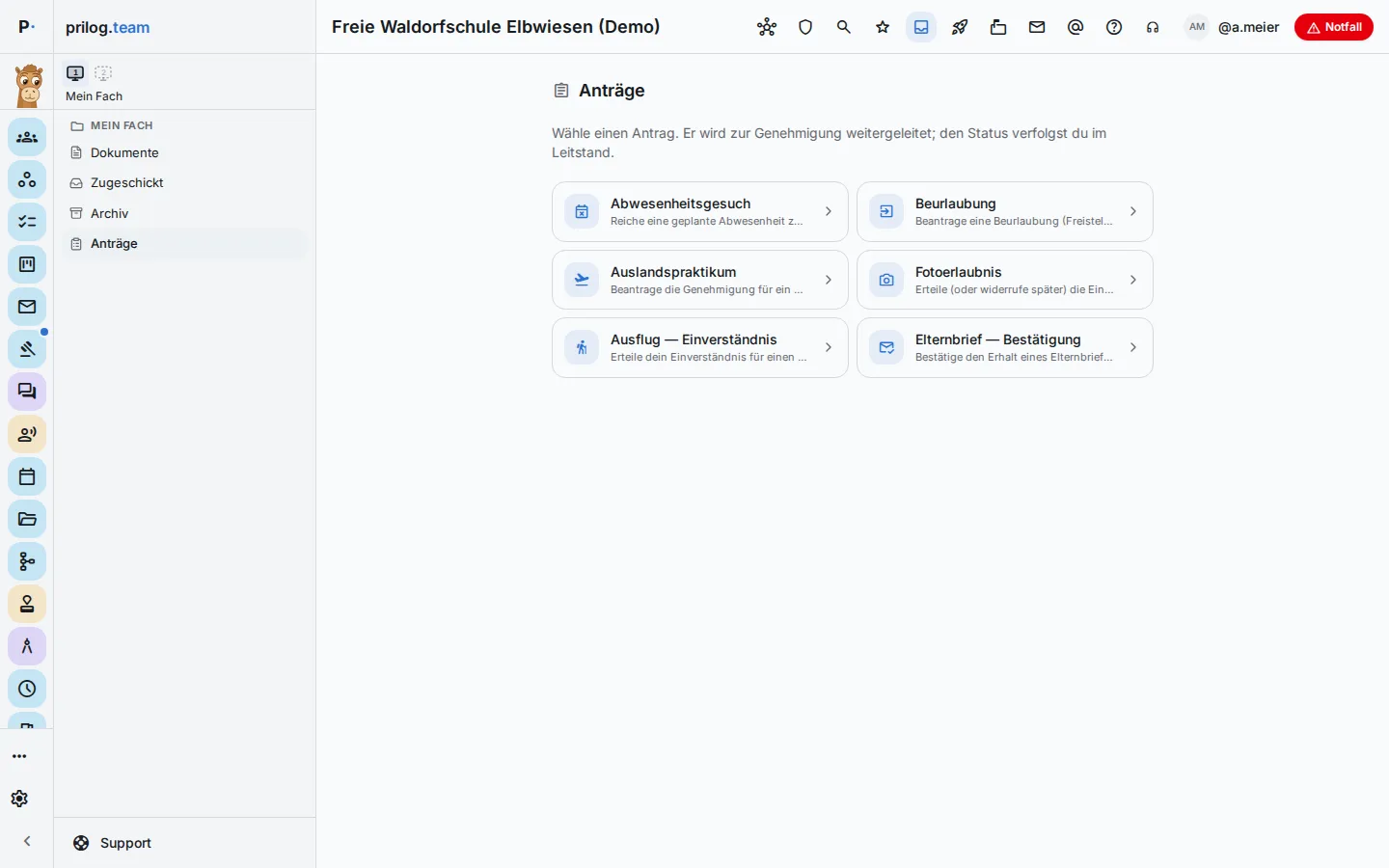
Leave of absence, consent forms, parent letters, short messages to individual families: much at a school runs on slips of paper that one person fills in and someone else collects or decides on. Prilog brings it together — from filling in, through the reply, to the decision.
What it often looks like today.
- The parent letter goes home with 28 children, 19 slips come back — the missing ones are tracked down with a tally sheet.
- A leave request sits in the school leaders’ tray while the class teacher doesn’t know there is a test that week.
- The home–school notebook stays in the school bag, and an important request never reaches the parents.
- Replies for scheduling the parents’ evening arrive by email, on paper and via messenger.
How Prilog helps.
- 1
Requests in one place
Absence request, leave of absence, work placement abroad, photo consent or trip consent — parents submit the request for their child, with the right fields and required information.
- 2
Deciding with context
Whoever approves sees on the card the absences of the last twelve months and appointments in the requested period — but only what they are allowed to see anyway. Inform, forward, approve or decline.
- 3
Nothing gets left lying
If a request is still undecided after the deadline, it goes once, automatically, to the school leadership. In the control centre, a coloured strip shows what is due soon or overdue.
- 4
Parent letters with replies
Letter with acknowledgement or yes/no, survey with answer options, form with fields and signature. A progress bar shows who has replied; reminders go only to those who haven’t yet.
- 5
Reply tracking for paper letters
Where parents have no access, Prilog just keeps the list: one row per child, ticked off by hand. At the top it says “18 of 29 · 11 outstanding”, below it the names still missing.
- 6
The home–school notebook
Entries about an individual child as a note, request, praise or concern — with read receipt if you want. Only the teacher and that child’s parents can see them.
What Prilog deliberately does not do
- Prilog never decides a request itself — automatic escalation only passes it on to the school leadership.
- Reply tracking sends nothing and reminds no one; parents don’t see it.
- The home–school notebook doesn’t replace a conversation with parents, and the school leadership can only read it with explicit permission.
Ready for the next step?
Request a demo — in a short session, we will show you Prilog using your own processes. No pressure, no hidden costs.
Prefer to get in touch directly? Write to info@prilog.team.