Room management for schools
Knowing where there’s space.
A meeting with parents needs a quiet place. Chemistry lessons need their specialist room. A new colleague is looking for the library, and in the school office someone wants to know where class 8b is having lessons right now.
Rooms are among the things a school takes for granted. How much organisation goes with them is often only noticed when a piece of information is missing.
Prilog connects room management with the timetable, meeting planning and a clear way of finding your way around the school building.
Maintain once. Use together in everyday school life.
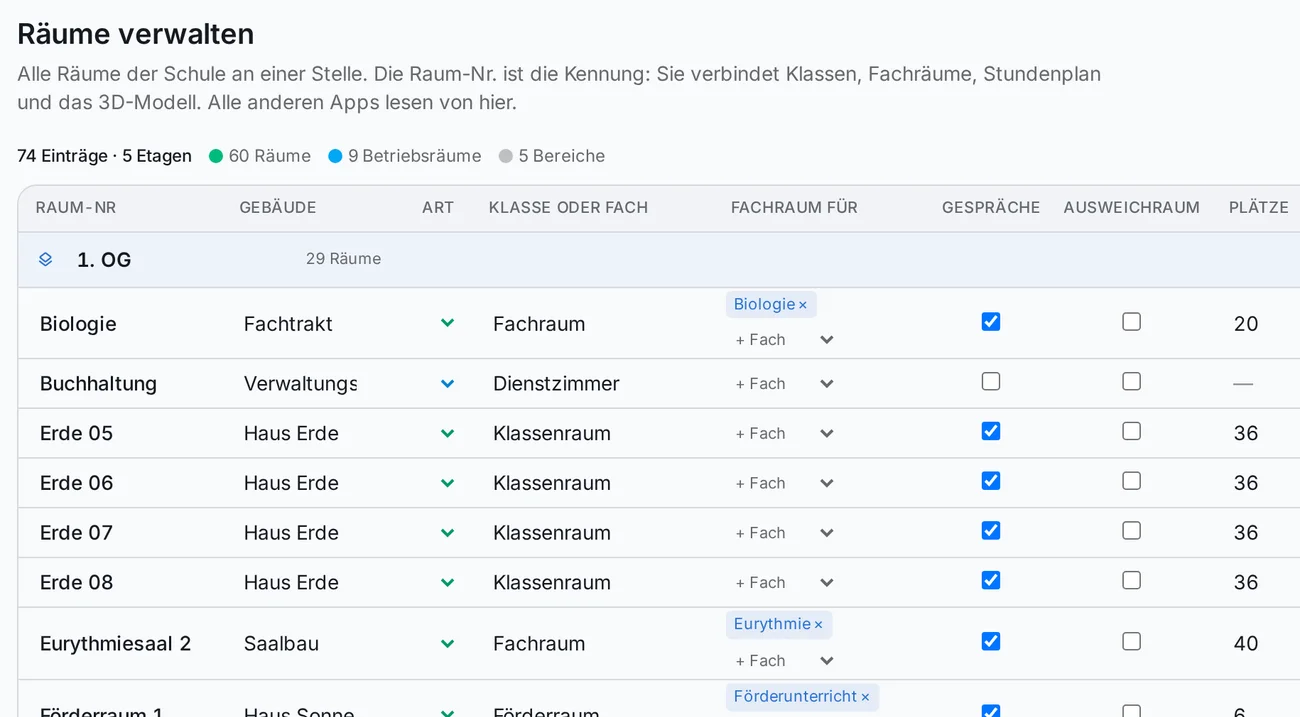
In Prilog, your school’s rooms are managed in one central place. Room number, building, floor, seats, equipment and use form a shared basis for the other applications.
This information is available to the timetable, the planner, the meeting rounds and the room finder. If a room changes, it changes everywhere.
-
Timetable and planner
The planner knows the seats, specialist rooms and home rooms of the classes. It never schedules service rooms or areas.
-
Meeting rounds
For parent-teacher conferences, Prilog suggests a room to each teacher – from the rooms approved for meetings.
-
Room finder
Everyone sees the same rooms by building and floor, with their occupancy according to the timetable.
The right room for the lesson
Some lessons can take place in various classrooms. Other subjects need a particular setting.
Prilog links specialist rooms with the matching subjects. If a subject is set to take place in a specialist room, the timetable planner only schedules it in the specialist rooms assigned to it.
Teaching rooms, service rooms and areas for orientation are kept apart. A storeroom or stairwell entered as a service room or area is never scheduled as a teaching room.
Parent-teacher conferences thought through as well
For meeting rounds, the school decides which rooms may be offered. For example, the library can be approved for meetings while the school office stays excluded.
Existing links to classes, subjects and preferred rooms help with the room suggestions: first the teacher’s preferred room, then the classroom, then the specialist room.
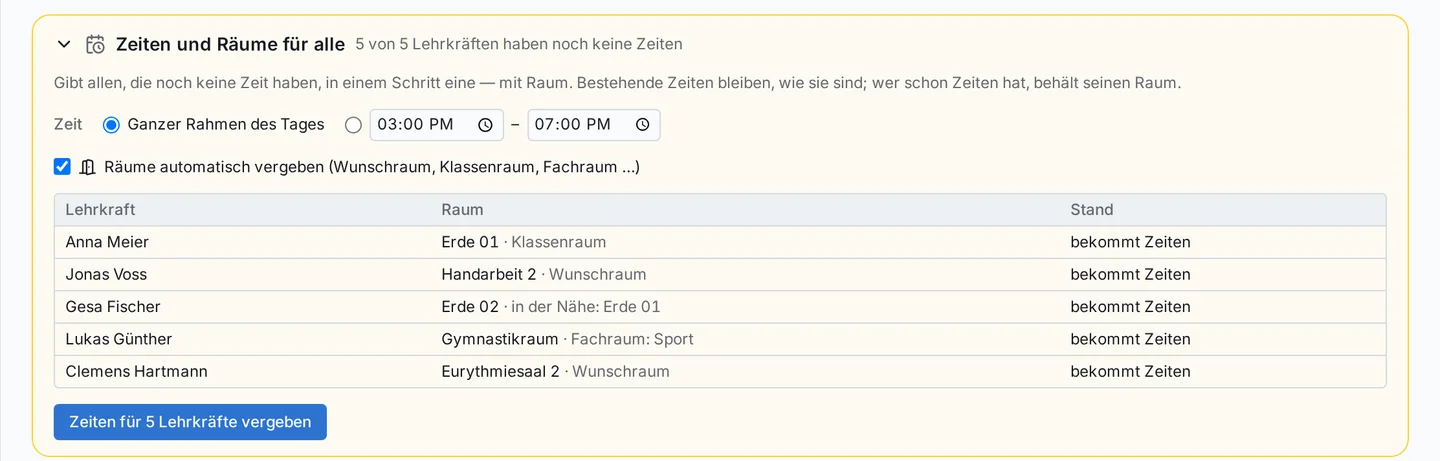
Room suggestions for the parent-teacher conference, with a reason for each teacher.
Orientation that makes the school building easy to understand
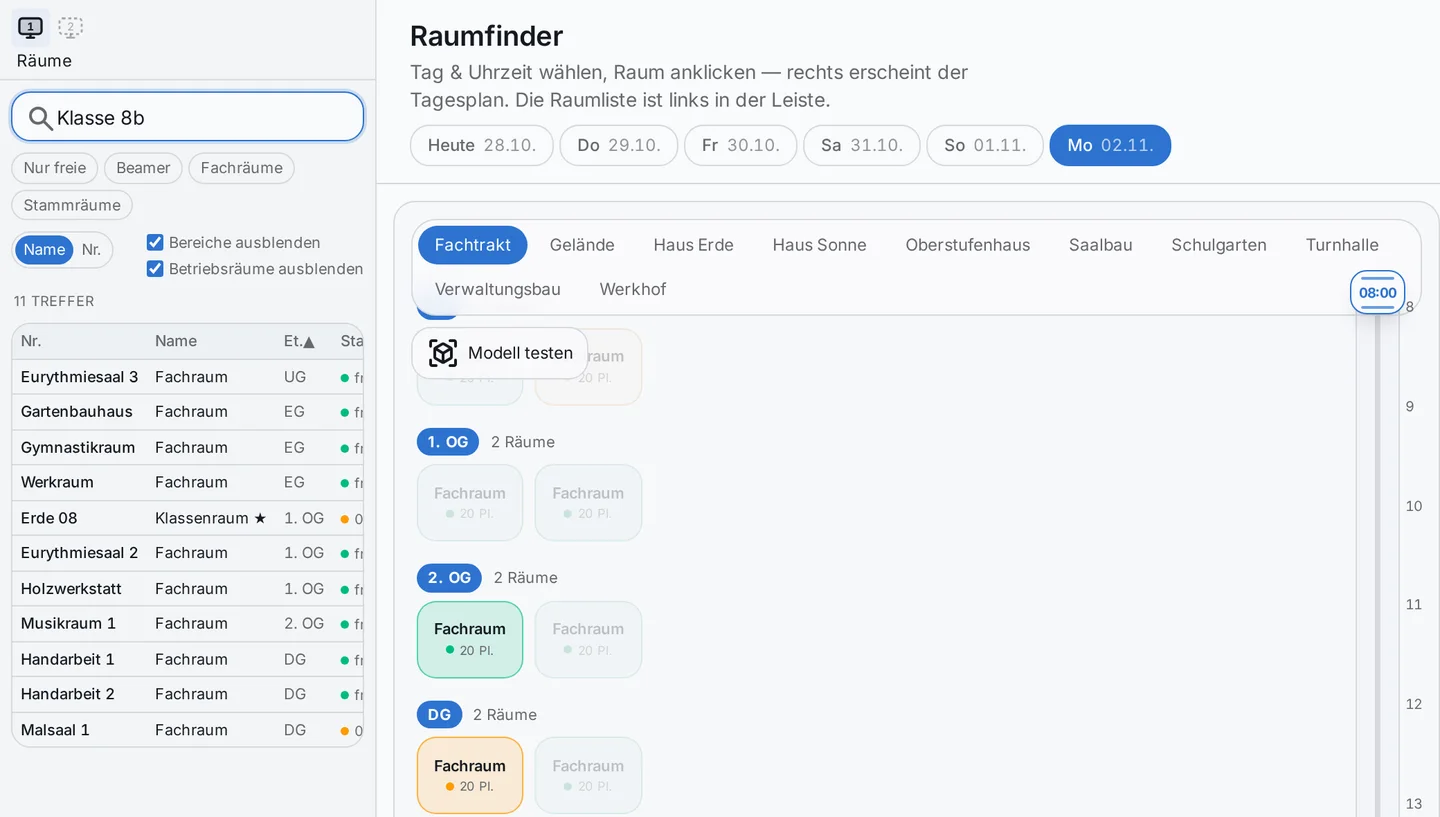
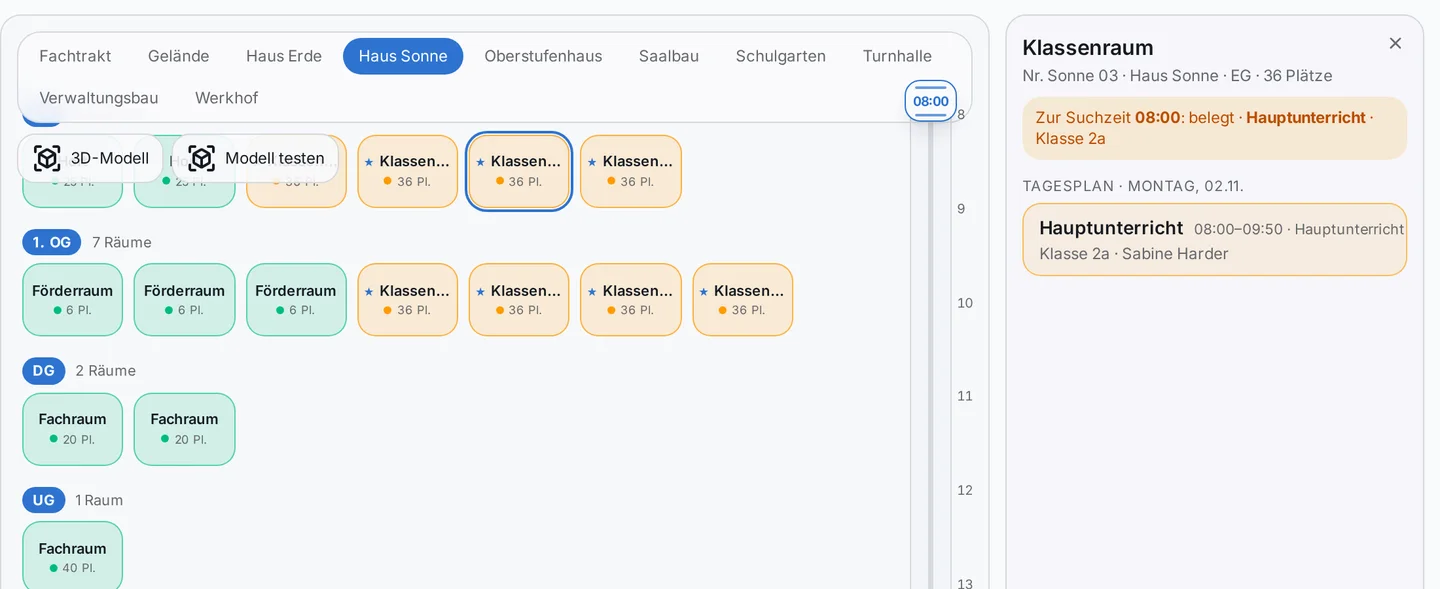
The room finder shows the school by building and floor. You can search by room, subject, person or class; matching rooms are highlighted on the plan.
You can choose the day and time: if you want to know which room stays free on Monday afternoon, pick the day and move the slider. Clicking on a room shows its daily schedule.
The occupancy shown comes from the published timetable. It describes the planned use and is not a measurement of who is actually present.

3D model
Your own school building, floor by floor
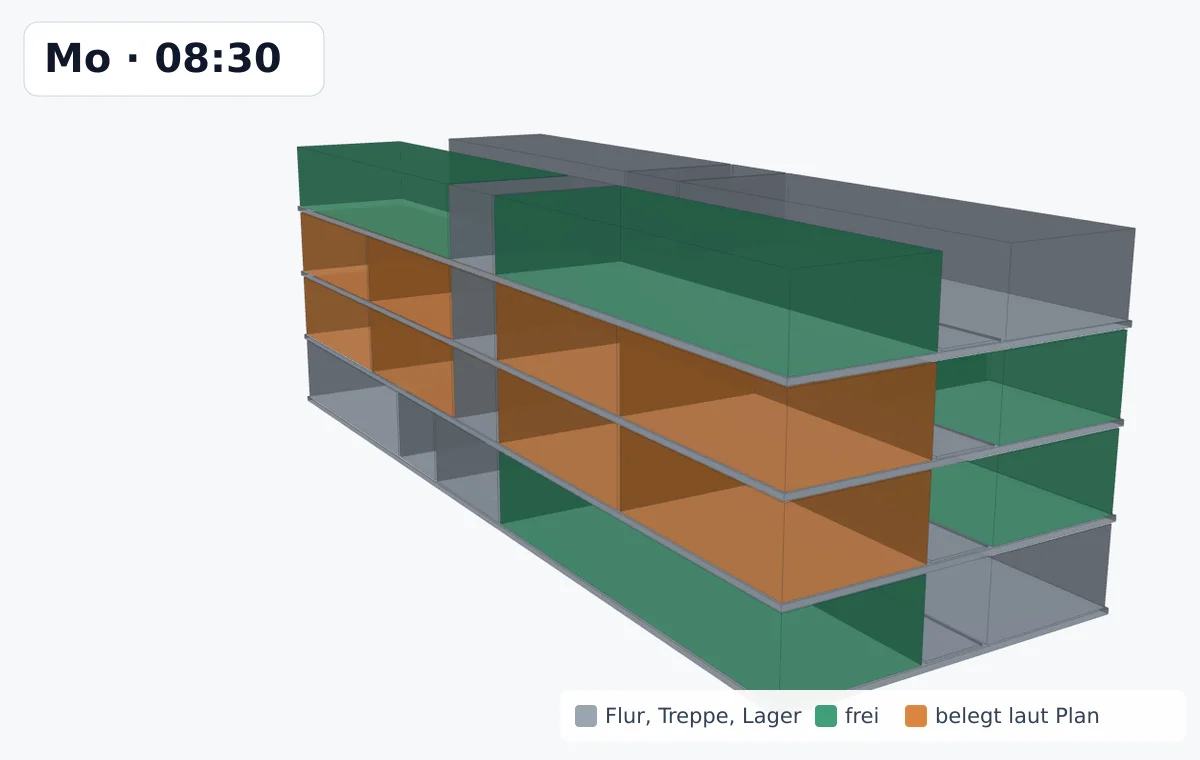
Without any further preparation, the room finder shows each floor as a clear plan. If you want more, you can add your own 3D model for each floor – for example from a CAD program, as an OBJ file.
The rule is simple: each room is its own body and carries the room number in the model. That is how Prilog connects model and room. The room finder assembles the floors into the building itself; you can rotate it, zoom in and click on a room.
The colours follow the chosen time – just as on the plan.
Arriving well is part of school life
If you have known a school building for years, much of it seems obvious. For new staff and visitors, a visit often begins with asking the way.
A clear overview of the rooms helps people settle in. At the same time, room management maintained together supports the people who prepare lessons, meetings and events.
Where is there space at your school right now?
We’d be glad to show you the room finder with your school’s rooms – with your own building model if you like.