Parent-teacher conferences with Prilog
A good parent-teacher conference starts long before the first meeting.
Finding times, inviting families, planning rooms, allowing for breaks, answering questions and handling short-notice changes: behind every parent-teacher conference lie many small decisions and a major organisational effort.
Prilog helps your school plan parent-teacher conferences clearly – so that parents and teachers come to their meetings well prepared.
When many people want to talk to each other at the same time
A parent-teacher conference brings a lot together. Parents want to find out how their child is getting on at school. Teachers want to share their observations and take up questions. The school office and school leaders make sure the meetings can take place.
For the organisation, this means: many families are looking for suitable times with different teachers. Some want to arrange several meetings. Others have several children at the school. A teacher wants to invite a particular family. And shortly before the day, someone falls ill.
Prilog creates a shared process for all of this. Your school decides how the conference day should run. Teachers and families get the information and options they need.
An afternoon that is clear for everyone
-
For the school
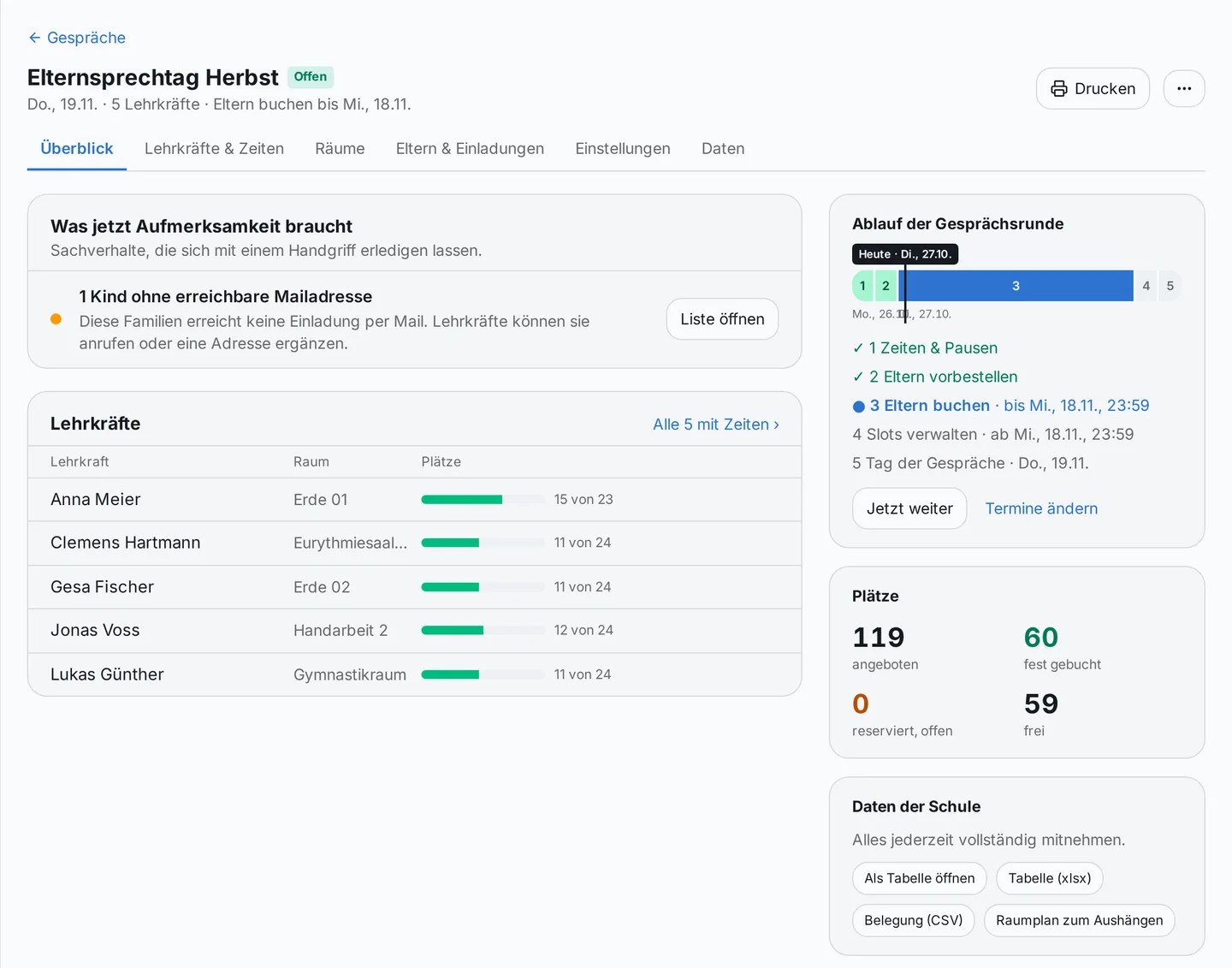
The people in charge set the days, meeting times, participating teachers and rooms. While preparing, they can see which slots are on offer, where details are still missing and which steps come next.
-
For teachers
Teachers see their own afternoon, can add breaks and, where needed, invite specific families. For every meeting, the details that help with preparation are ready to hand.
-
For parents
Families choose their meetings online. A personal invitation link takes them straight to their children’s teachers. They get an overview and can change or cancel their appointments if needed.
How organising parent-teacher conferences works
1. The school prepares the conference day
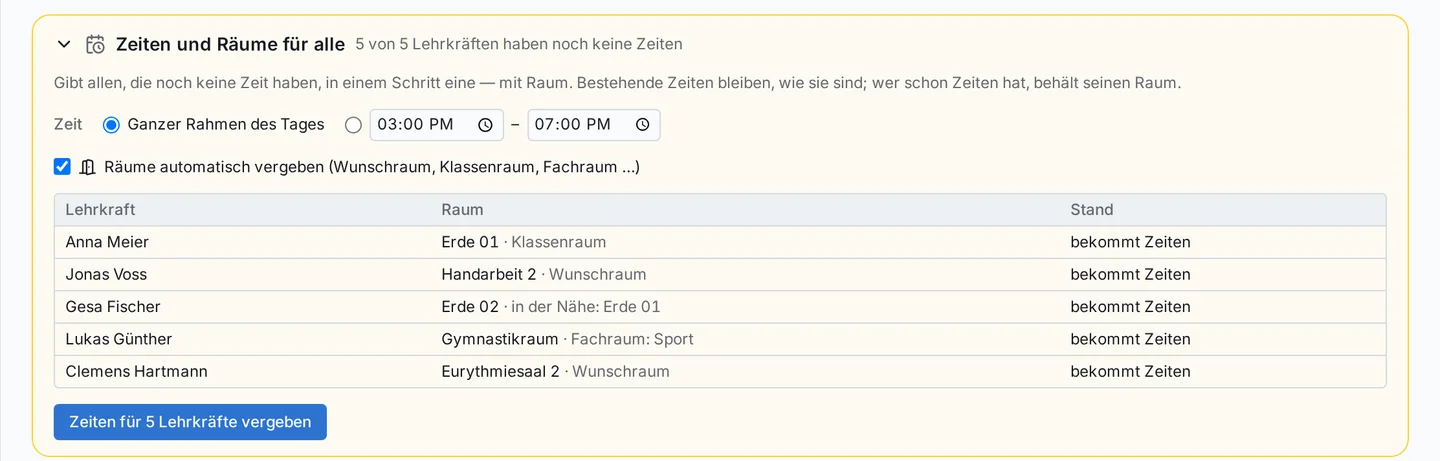
Set the days and times, decide how long meetings last and choose the participating teachers. Prilog also helps with room planning.
Teachers can check the times they are offering and add breaks. The phases switch on the dates the school sets – when teachers can invite and when parents can book.
2. Teachers can invite specific families
Sometimes a teacher wants to offer a meeting explicitly – because there is a development to discuss or because a personal conversation would be helpful right now.
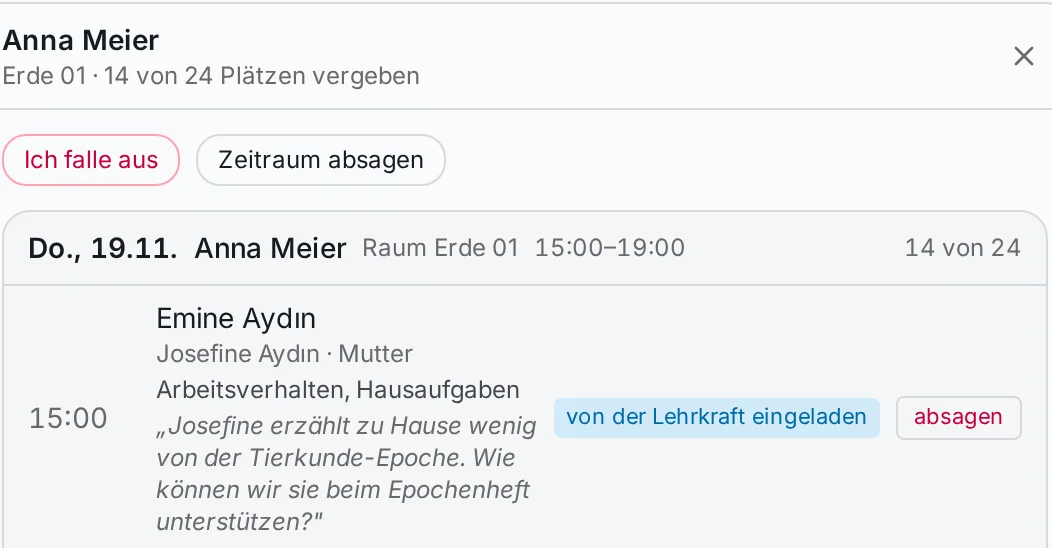
For this, teachers can invite families before the general booking phase. Prilog suggests free times and, where possible, takes the family’s existing appointments into account. The teacher can review and change the suggestions.
Parents receive an invitation and can confirm the suggested time, choose another free time with the same teacher or decline.
3. Parents choose their meetings
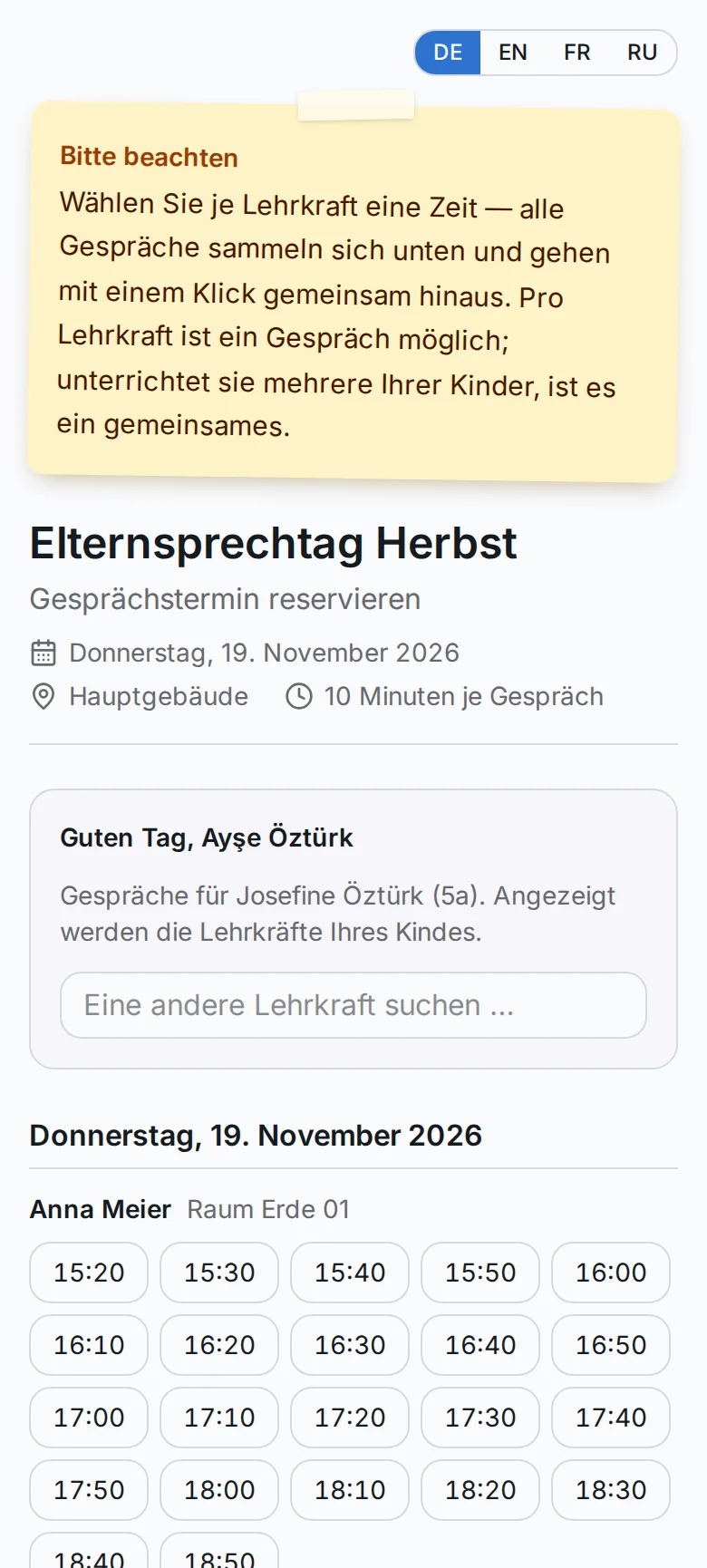
The school sends out personal invitation links. Through these, parents see their children’s teachers and can choose suitable meetings. No account or password is needed.
Families can also request appointments via a general booking page. There they enter their details and confirm the request by email.
4. The conference day is prepared
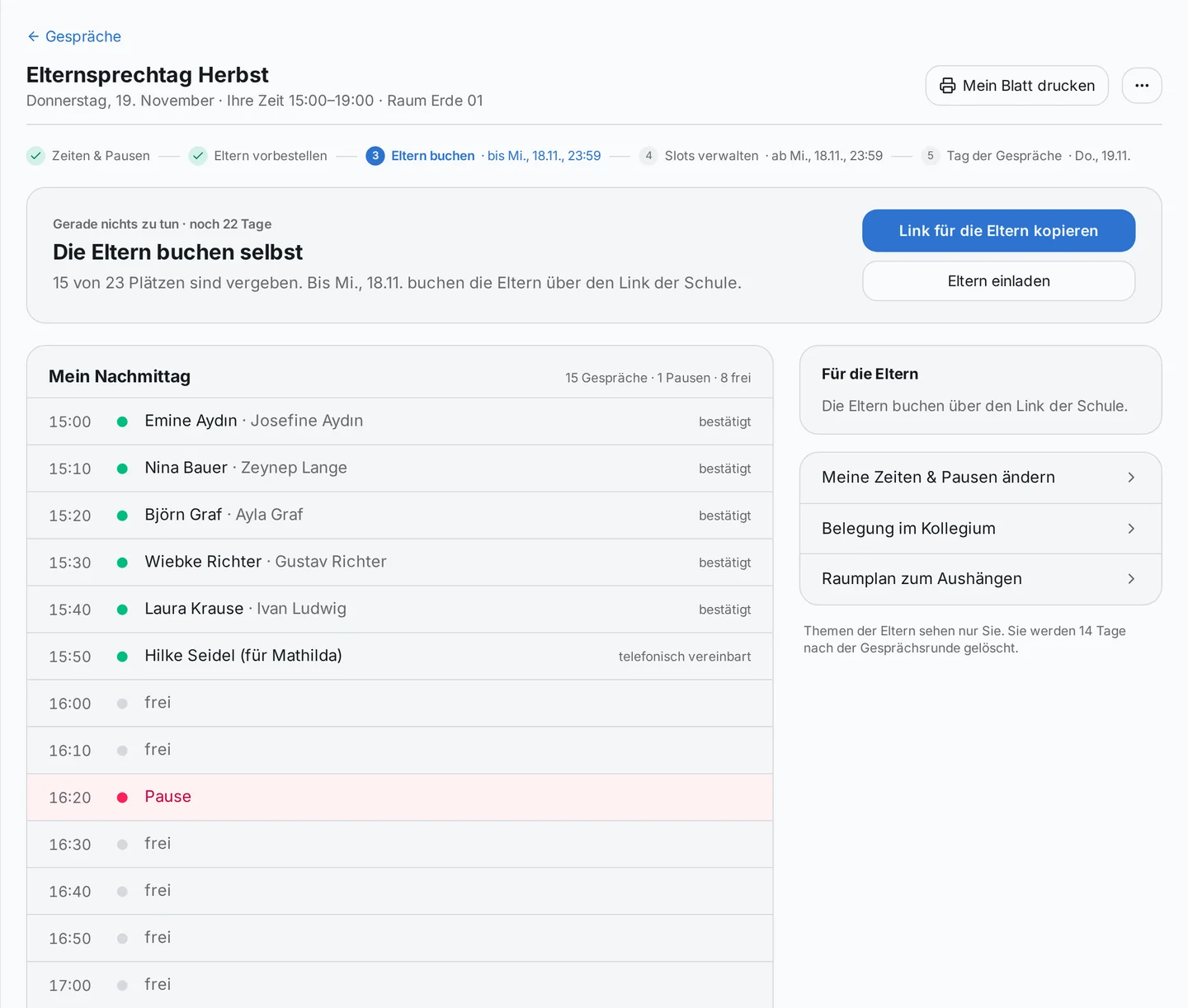
The administration keeps track of which slots have already been taken and where something still needs doing. Teachers see their appointments and can print a sheet with their afternoon.
For families without an email address on file, there is another way: the school can get in touch and enter an agreed appointment by hand.
5. On the day itself, everyone knows what is coming up
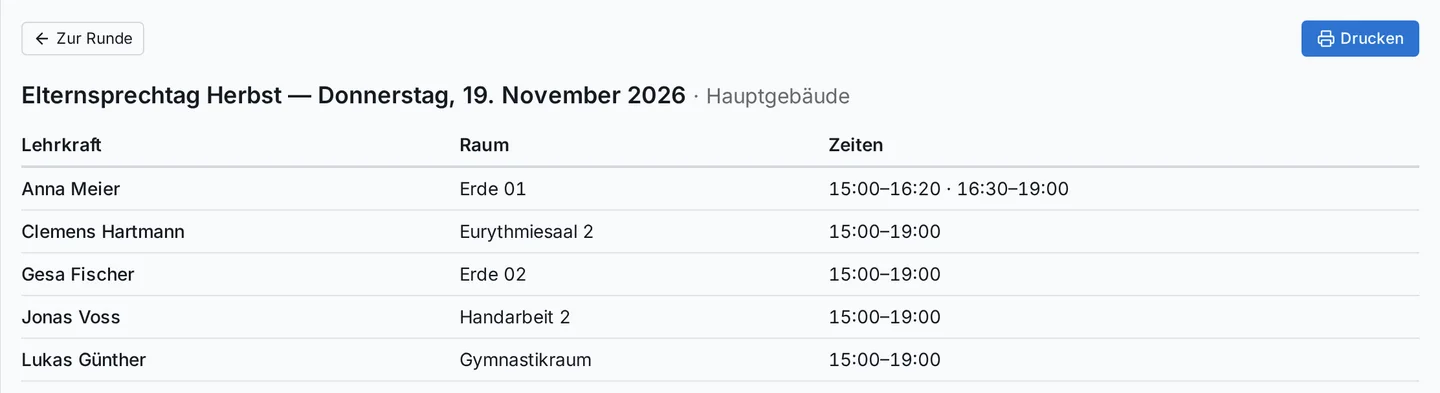
Teachers see their meetings in chronological order. The administration has a full overview and can check when and where a family is expected. A room plan to put up helps people find their way.
Three children. Four meetings. One shared afternoon.
For families with several children, a parent-teacher conference is often a small journey through the school building. Perhaps there should be a meeting with the class teacher, another in maths and one with a teacher of a sibling.
With the personal invitation link, parents see their children’s teachers and can put together several meetings in one overview. Times already taken are taken into account so that their own appointments do not overlap.
If a teacher teaches more than one child from the same family, there is one joint meeting for them.
For teacher invitations and for allocation after a request phase, Prilog places a family’s meetings as close together as possible. When booking directly, the page shows suitable follow-on times. This turns several individual appointments into an afternoon that works better for the family.
Organising parent-teacher conferences – even when many people want to book at once
Book straight away or collect requests: your school decides
Some schools want parents to pick a free time directly. That is possible with Prilog – and it is the default setting.
For larger conference days, the school can instead set up a request phase followed by allocation. Parents state which teachers they want to talk to and when they are available.
During the request phase, it makes no difference to a family’s chances whether they submit their requests right at the start or later on.
During allocation, first meetings are considered before further requests get their turn. Families who missed out at the previous conference day are given priority. If a requested meeting cannot be arranged, it can go on the waiting list.
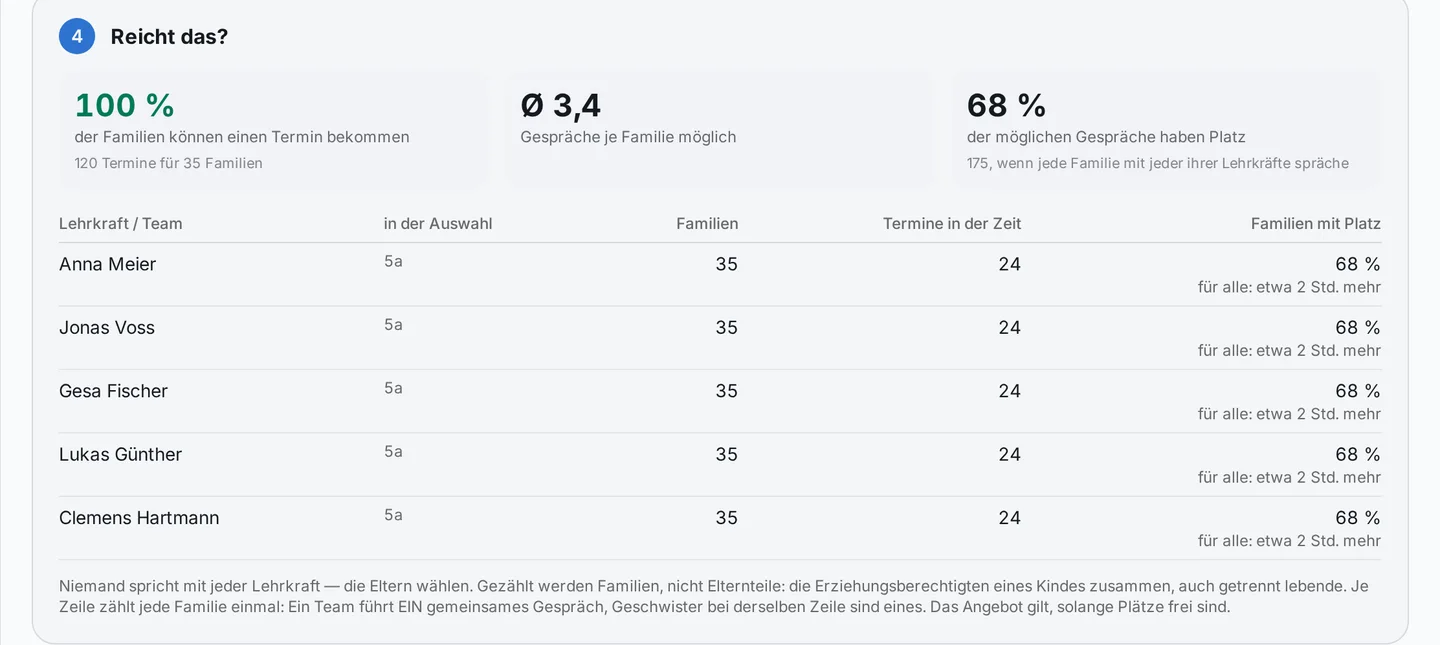
Before allocation, the school sees which teachers are in particularly high demand. This lets it check whether additional meeting times can be offered.
When many families visit the page at the same time
Especially when booking opens, many parents may be looking for appointments at the same time.
When demand is high, a digital waiting room switches on. Families see their position and an estimated waiting time; they are then automatically taken on to booking. The school can also switch the waiting room permanently on or off for a conference day.
The school can also run a load test to check how the booking page behaves on its system with many simultaneous visitors. This way, preparations can be matched to its own technical setup.
Well prepared for the meeting
What the teacher would like to know beforehand
A name on an appointment list says little about the conversation ahead.
When booking, parents can optionally say who is coming to the meeting and what they would like to talk about. If the school has enabled it, they can also say whether their child will be there.
The topic is seen by the teacher who holds the meeting. It appears neither in the administration’s export nor in the student file. These details are deleted again 14 days after the last conference day; the school can adjust this period.
This way the teacher can prepare for the meeting, and the family already has room for their concern when they sign up.
And if something comes up?
-
A teacher is unavailable
Illness or another short-notice change can happen on conference day too. Before cancelling, Prilog shows which meetings are affected. Families with an email address on file can be notified. For families without an email address, a call list appears. The affected times are blocked so they cannot be booked again.
-
A family needs to change an appointment
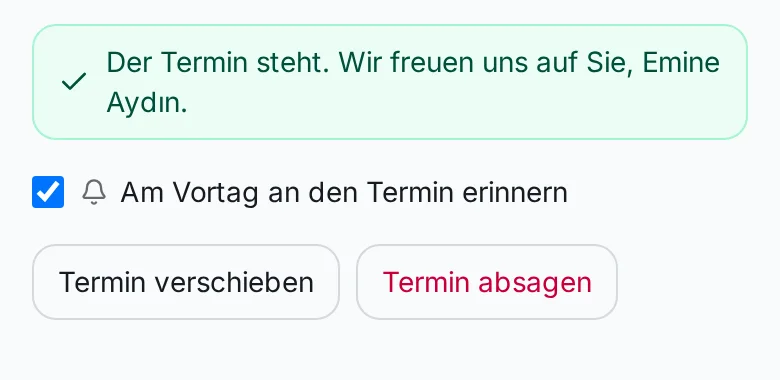
Parents can change or cancel appointments using the link in their confirmation. Slots that become free can be made available to other families again.
-
A meeting runs over
Teachers can report a delay to reception. The administration sees the notice in the overview and can let families on site know. The agreed appointments stay as they are.
-
A family has no email address
Not every family can be reached in the same way. If an address is missing, the school can record getting in touch as a task and then enter an appointment agreed by phone.
What school leaders and the school office keep an eye on
A parent-teacher conference is made up of many individual meetings. At the same time, organising it requires a view of the whole.
Among other things, Prilog shows:
- which teachers are offering times and where details are still missing;
- how many meeting slots are offered, reserved or booked;
- which families have no email address at which they can be reached;
- where a room has been assigned twice;
- which families need to be phoned if there is a cancellation;
- which teacher can be found in which room.
On the day itself, the administration can search for a family and see when and with which teacher a meeting is planned.
This way, questions become visible where they can be dealt with – from the start of planning to the last meeting of the day.
Data protection at parent-teacher conferences
Scheduling meetings involves personal information. That is why it matters who needs which details.
Parents can book their meetings via a personal link without creating their own account. This link is only valid for the conference day in question and should be kept confidential.
A meeting topic given voluntarily is intended for the teacher concerned. The school can also decide whether teachers may see parents’ email addresses; by default, they cannot.
Which data the school processes and which settings it uses is looked at together as part of the introduction.
For schools that want to start with one area
Perhaps you already have a school platform and are mainly looking for a better way to organise your next parent-teacher conference.
Get in touch. Together we will look at what your school already has in place and how Prilog’s parent-teacher conferences can fit into your existing processes.
Frequently asked questions about digital parent-teacher conferences
Do parents need a Prilog account?
Can parents make appointments for several children?
Can teachers invite specific parents?
What happens if there are more meeting requests than free slots?
Can families also be booked in by phone?
Can teachers plan breaks?
Can we print out schedules?
Read about parent-teacher conferences in the manual (in German) →
A parent-teacher conference that puts the conversation first
A good conversation needs attention. It helps when teachers know who is coming, parents have their appointments in view and the school is prepared for questions and changes. Prilog supports the organisation of your parent-teacher conferences – from the first time slot to the last meeting.
We are happy to show you, using your own school as an example, what planning, invitations and appointment booking can look like.