School messenger
Stay connected. Shape school together.
A quick word among staff. A message to parents. A question about the class trip. A thought taken away from a staff meeting that needs following up later.
School thrives on exchange. With the Prilog messenger, this exchange gets a shared place – clearly organised and suited to the people who work together.
Communication is part of everyday school life
Every day, many people come together at a school. Teachers teach a class together, parents want to know what lies ahead for their children, and working groups prepare tasks over weeks.
All of this needs opportunities to communicate. Some questions can be settled with a short message. Others need a room in which several people can think along and information stays easy to find over a longer period.
Prilog supports these different forms of collaboration. Every school can set up its communication so that it fits its community and its tasks.
A dedicated room for every class
A class is a shared point of reference for many people: for the students who learn there, for their parents and for the teachers.
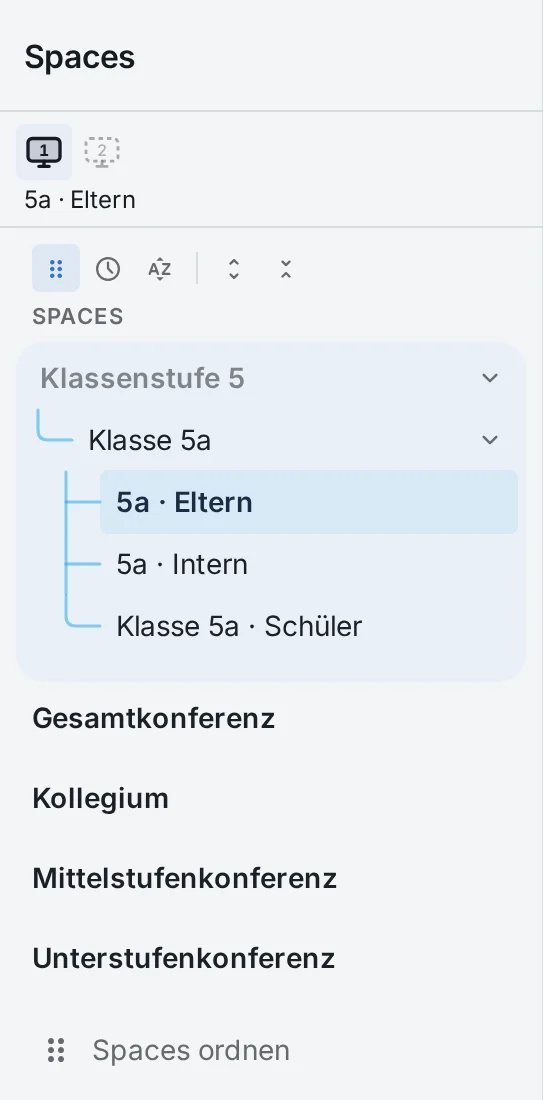
In Prilog, every class gets its own rooms. There, everyone involved finds the messages and information intended for them.
For teachers and students, there is a room around lessons. Here, for example, information and homework can be shared.
For teachers and parents, there is a separate area for announcements and arrangements.
This gives a class’s communication a fixed place. People see the rooms they belong to. Private phone numbers do not have to be shared within the group.
Keeping parents well informed
A message that keeps its place
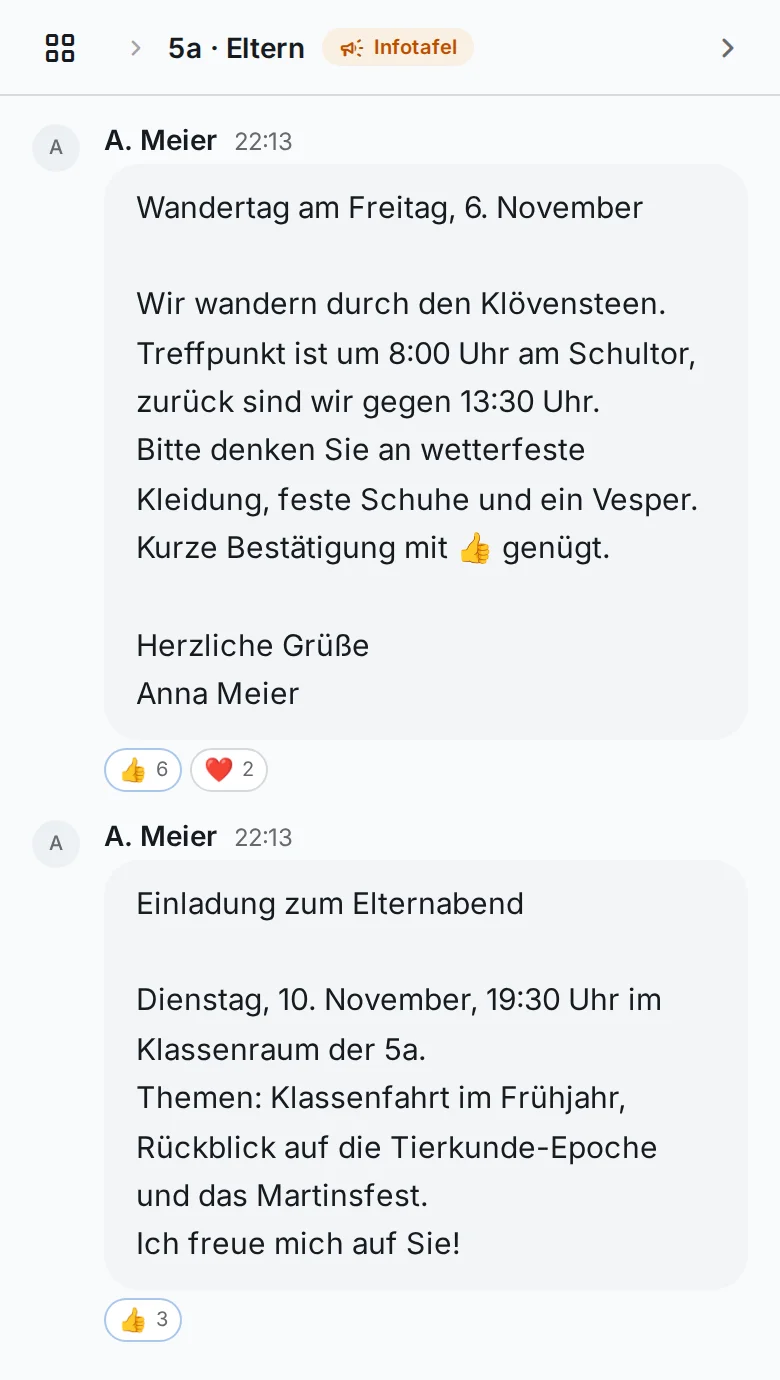
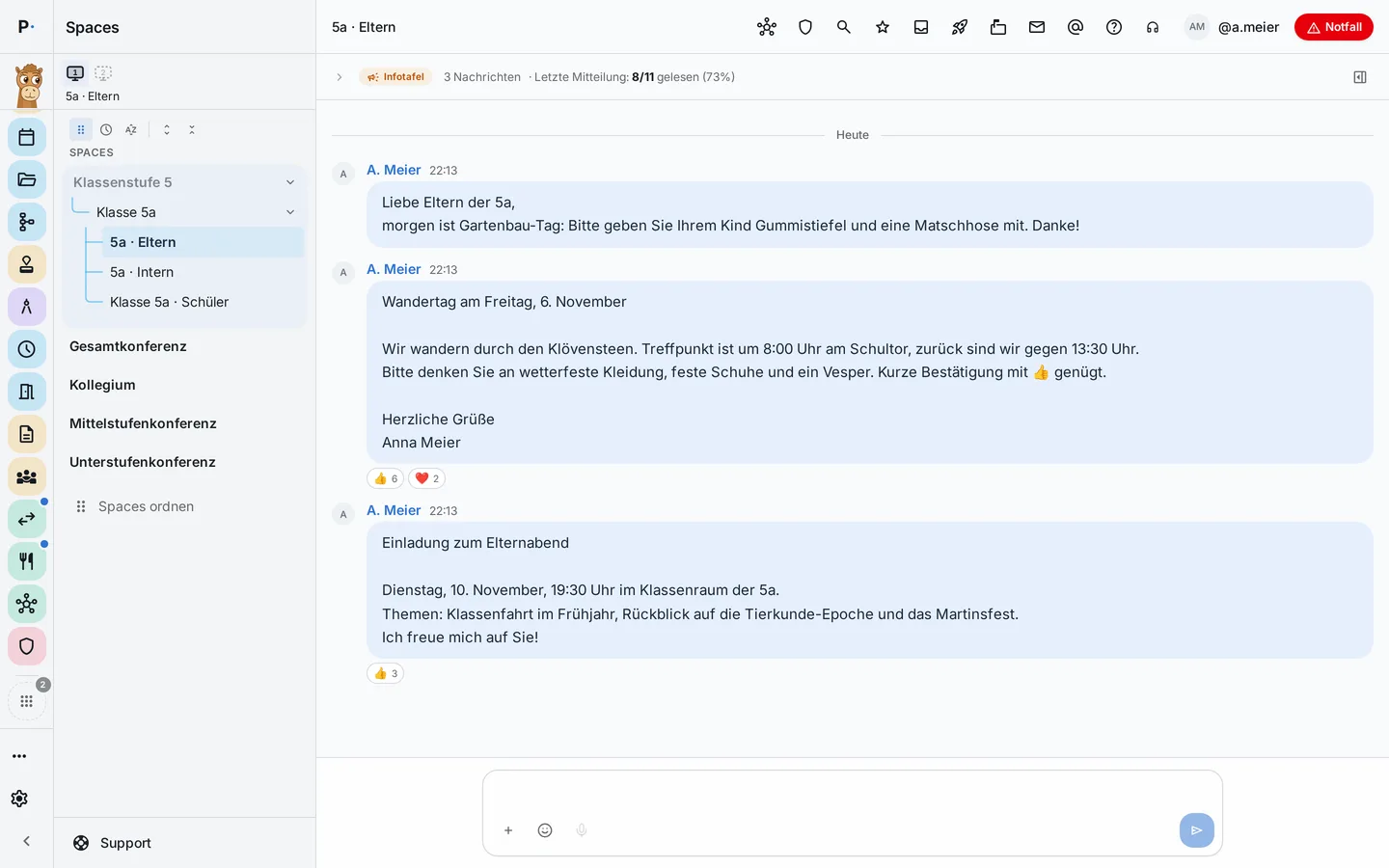
On Friday, the class needs to bring weatherproof clothing for an outing. The class teacher writes a short announcement to parents. Everyone finds it in one fixed place and can read it again later.
For information like this, Prilog has the notice board. Teachers publish an announcement; parents can read it and, if they wish, acknowledge it with a reaction.
The school sees how many people have read the message. This overview does not show which individual parents have read it.
This keeps the announcement easy to find – even as the school day moves on and someone checks again at home later.
Working together as a staff
A room for people who share responsibility
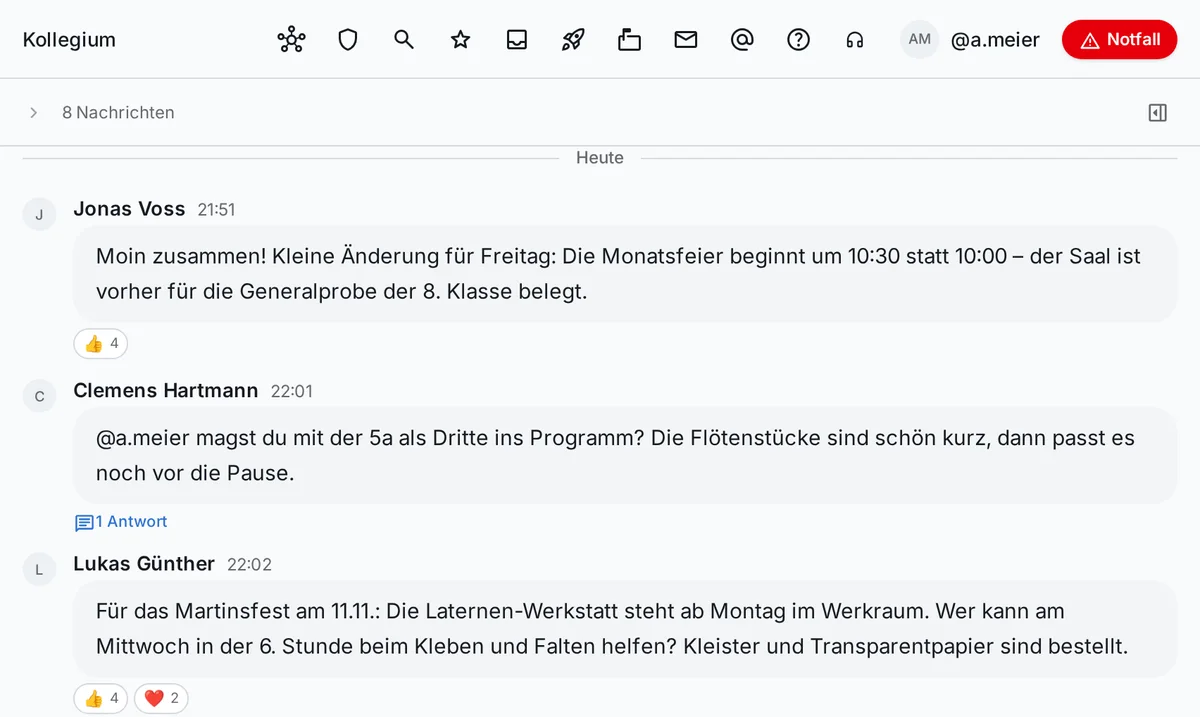
Among staff, many conversations take place: about preparing an event, the work of a subject department or a question concerning a class.
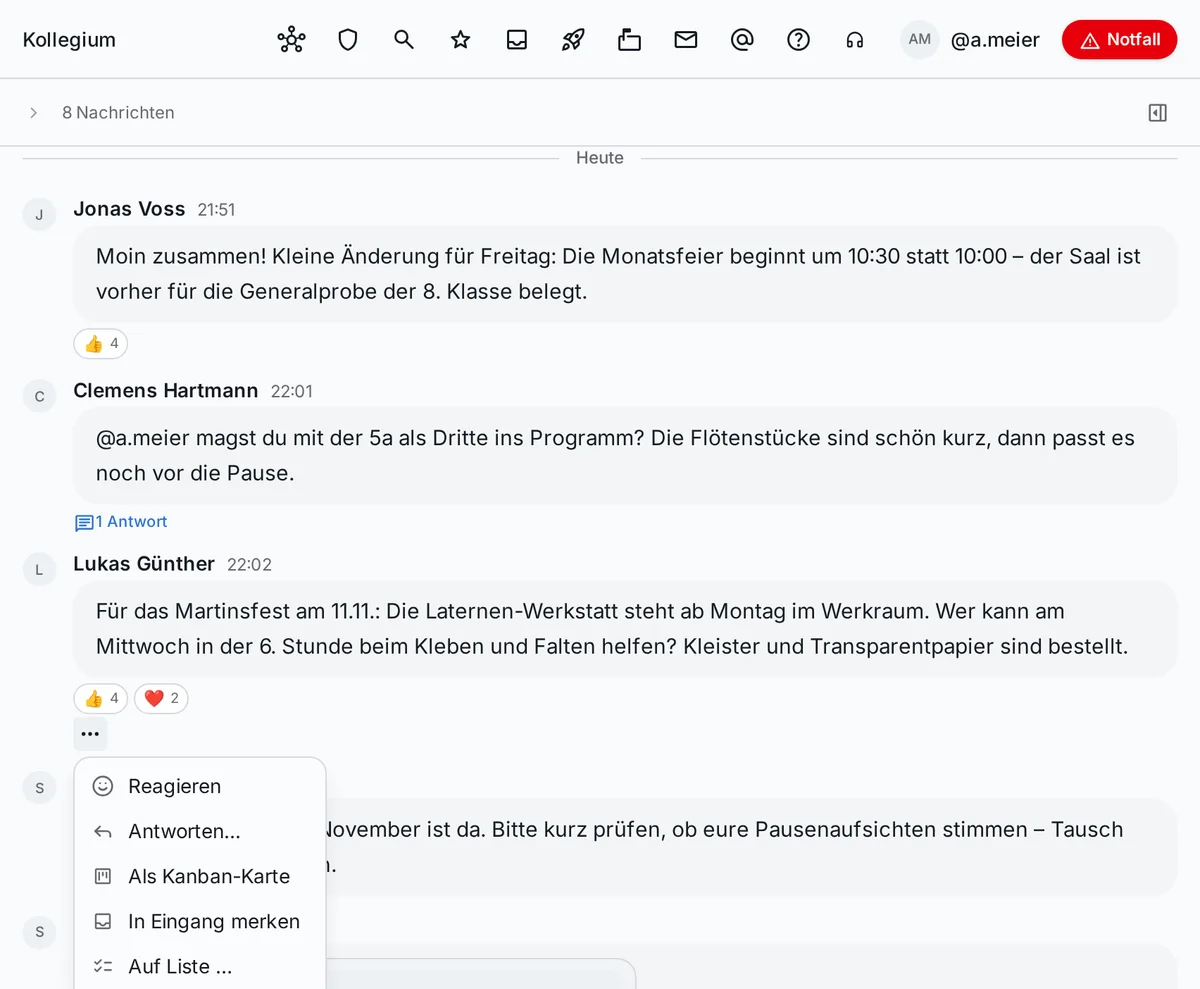
With Prilog, you can talk directly with individual people or use shared rooms for groups and areas of work. Replies can be linked to a conversation, people can be mentioned, and documents, pictures or videos can be shared.
This keeps thoughts, arrangements and materials together where the collaboration happens.
Something can grow out of a conversation
A suggestion for the next parents’ evening comes up in a message. A colleague takes on the preparation. Now the idea needs a place where it can be worked on further.
In Prilog, a message can be turned, via its menu, into a task on a list or a Kanban board, for example. A calendar entry or a document can also be created from it.
In this way, conversation in the messenger connects with shared work: an idea can be picked up, assigned and developed further.
Flurfunk for staff
Speak a message when your hands are full
Between two lessons there is often only a brief moment for a message. With Flurfunk (Prilog’s voice messages), staff can record a voice message. Prilog creates a transcription of it.
The recipient can decide whether to listen to the message or read it.
Transcription takes place on a server in Germany operated by Prilog. The recording is not stored on this server.
Confidential chat
Confidential conversations need a place too
In everyday school life, some topics require particular care: for example personal matters of staff, or sensitive questions relating to the protection of a child.
For such conversations, Prilog offers a confidential chat for staff. The messages are end-to-end encrypted. The server processes the content in encrypted form; not even Prilog can read it.
Parents and students have no access to these confidential rooms. Features such as search, automatic transcription or transfer to document storage are not available there.
The confidential chat is an add-on module for Prilog Pro with its own server. Class rooms, the notice board and Flurfunk are part of the normal chat and independent of it.
For the people at your school
-
For teachers
Passing on information to your own class, coordinating with colleagues and turning a message into a task: Prilog supports communication where it arises in everyday school life.
-
For school leaders
School leaders can work with the school to shape which rooms and communication channels are needed. Information for staff, working groups and classes gets a shared structure.
-
For parents
Parents find announcements and conversations with their children’s teachers in one fixed place. Important information stays accessible even when it is needed again later.
-
For school administration
Shared rooms can also be used for organisational arrangements – for example where administration and staff work together.
A messenger as part of your school
The messenger is part of Prilog. It connects with other areas such as tasks, calendar and documents.
Your school can start with what it needs right now. How communication is set up and which rooms make sense depends on the people and processes at your school.
How does your school communicate today?
Every school has its own ways of passing on information and organising collaboration. We are happy to show you how the messenger in Prilog is structured and how it could fit your school’s processes.
Or write to us directly at info@prilog.team.